





Nexa
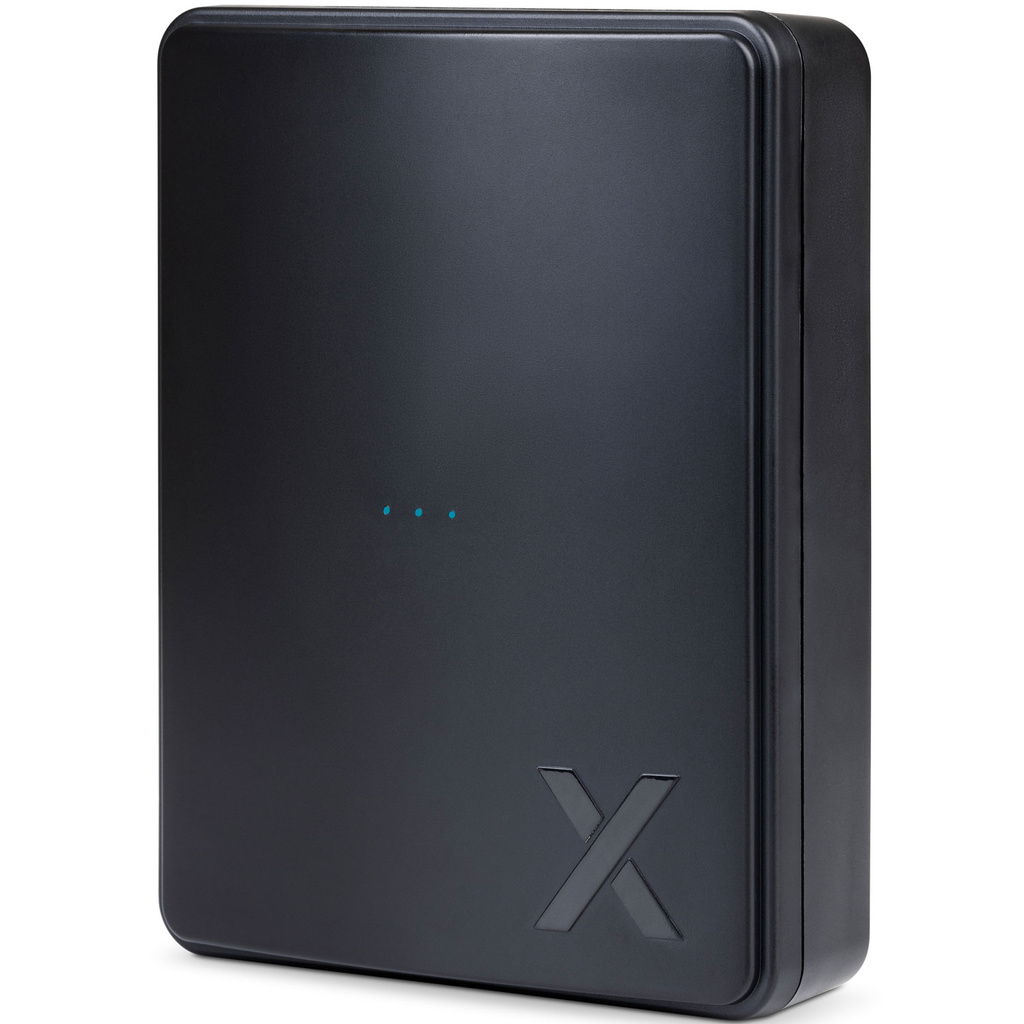
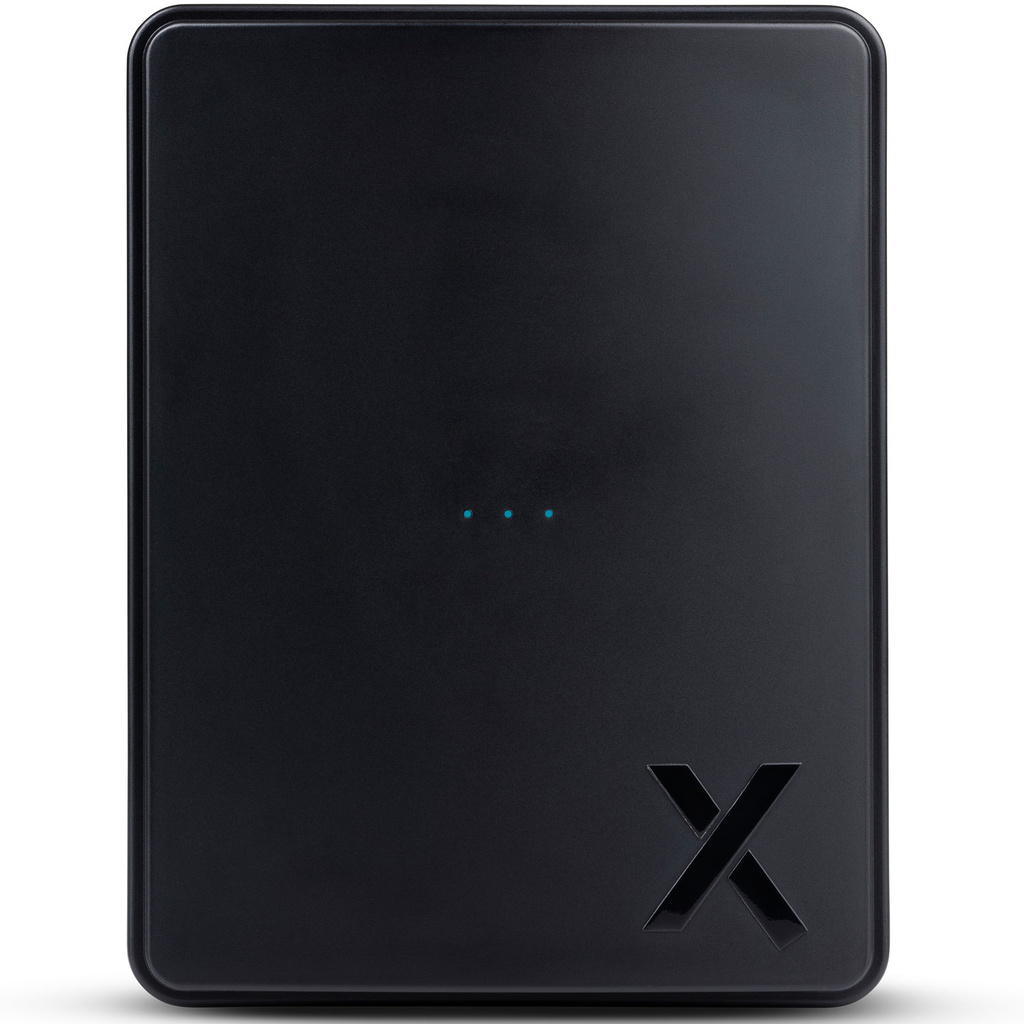
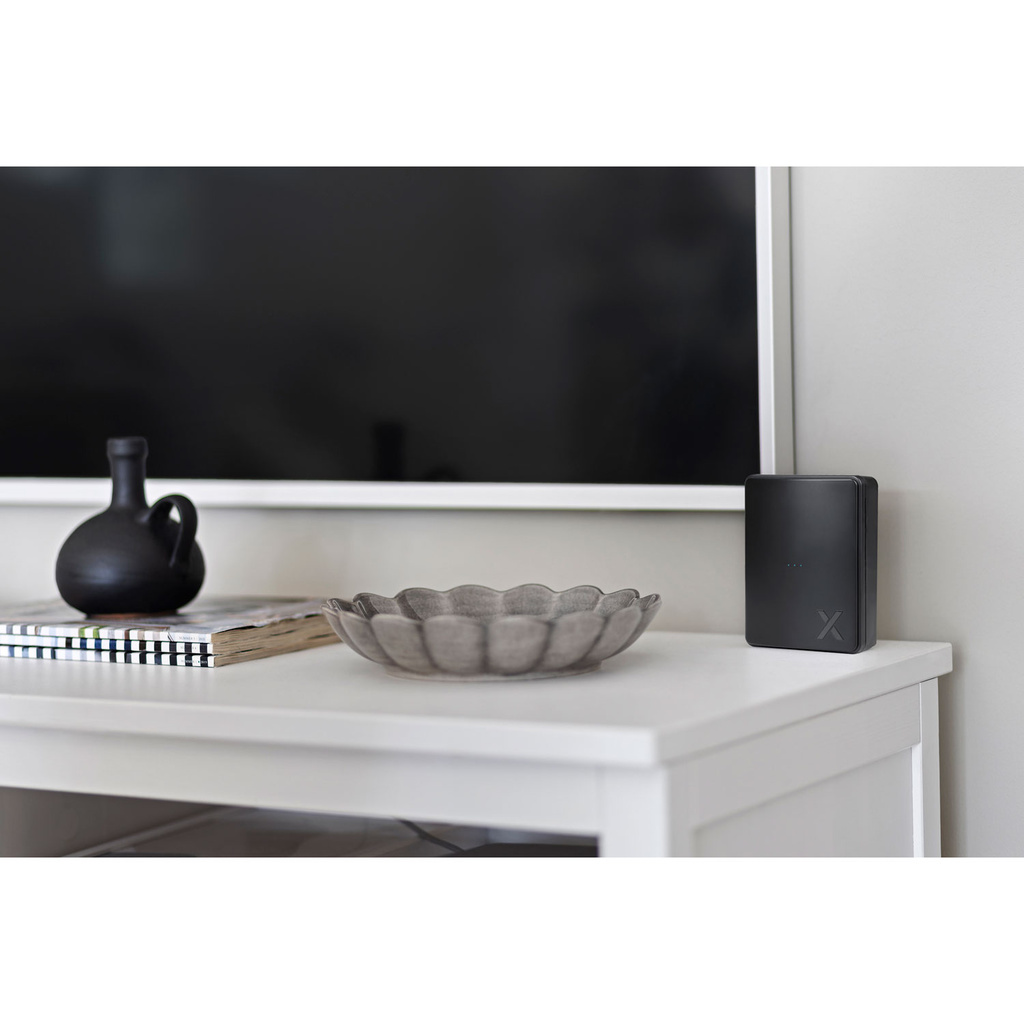
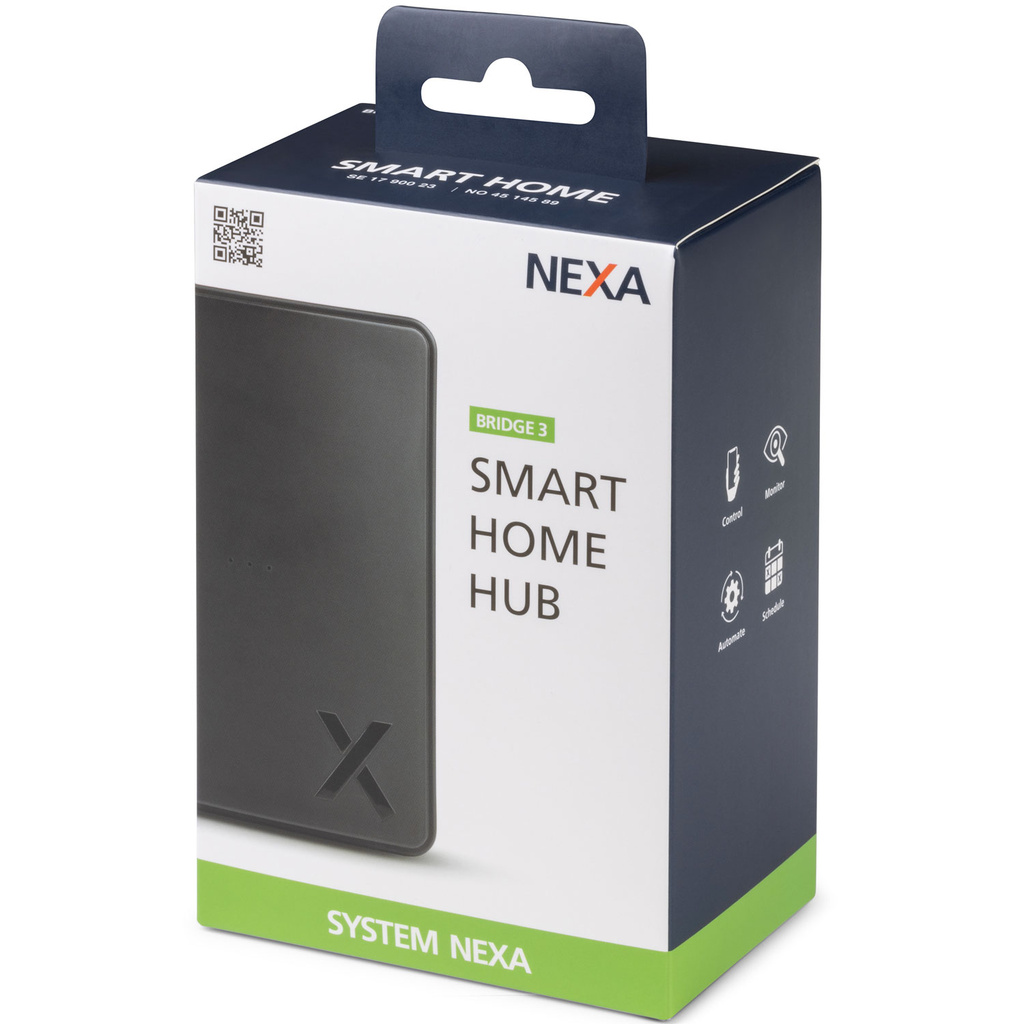
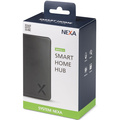
Nexa Bridge 3
Make your home smarter and your life easier!
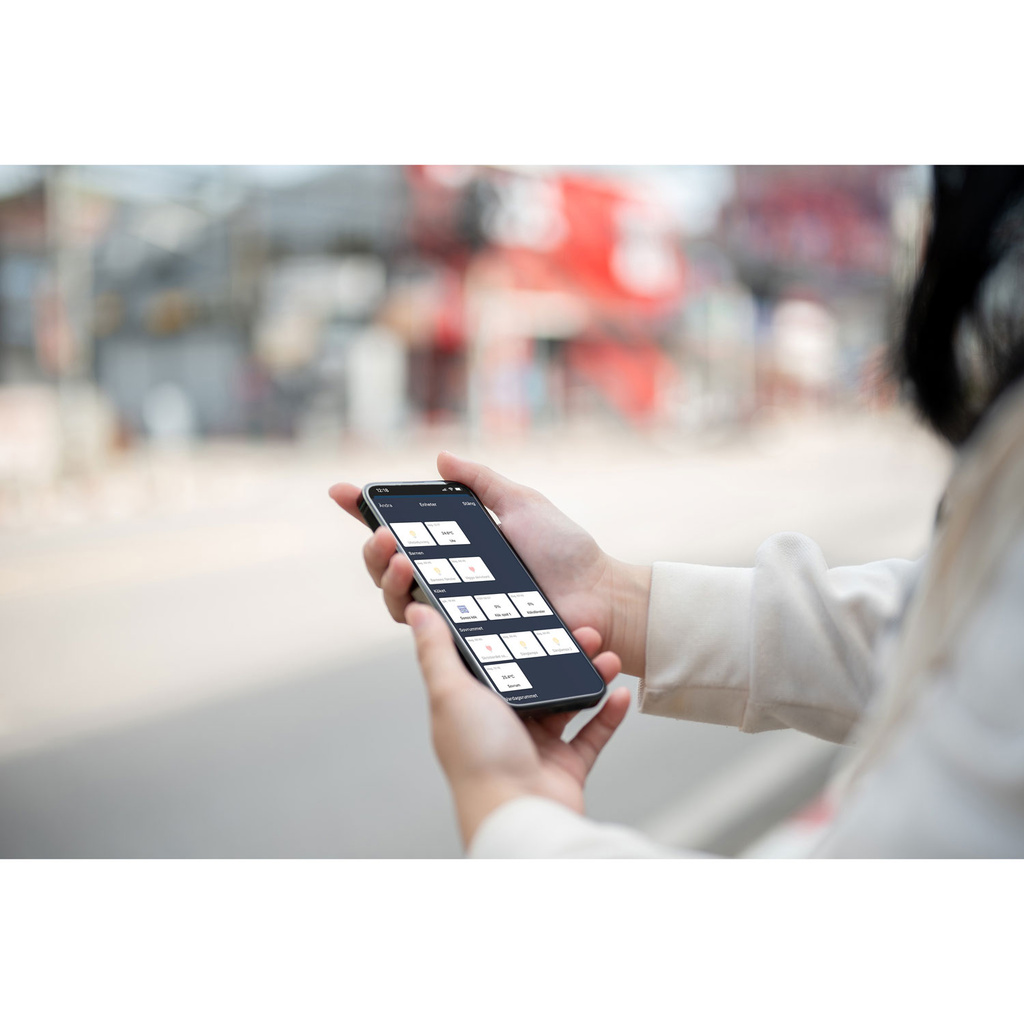
Control your home from wherever you are
Whether you’re at work, on holiday or just out for a walk, you can stay in touch with your home, either whenever you like or via notifications. With a simple tap, you can adjust the lighting, the temperature and even your appliances.
Have you forgotten to switch off the coffee maker? No problem – do it straight from your phone. If you want different smart devices in your home to work together, let Nexa Bridge 3 connect them. Clever, isn’t it!
Let your smart devices talk to each other
With the Nexa Bridge 3, you can connect your System Nexa devices to other smart devices in your home. Smart and convenient!
Supports:
System Nexa
Z-Wave adapter
Plus:
• Philips Hue
• Sonos
• IKEA Trådfri
• Google Assistant
• Twinkly
• Govee
• Ajax System
• Sensibo
Energy consumption
Which devices use the most energy, on which days of the week and at what times. Choose a receiver with energy monitoring or enter the device’s consumption to receive daily statistics.
Notifications
Receive a notification on your phone when, for example, the magnetic contact on the cellar door is broken or when movement is detected. You choose how, what is sent and when.
Activity log
With the activity log, you can go back several days to see what has happened in your home. You can see exactly when doors are opened, when movement is detected or when lights are switched on and off.
Reliability
If the internet happens to go down, everything continues to work locally; both schedules and automations run as usual.
Critical events
If you have a smoke alarm or water leak detector, the people you’ve chosen will automatically receive a text message when these alarms are triggered.
Voice control
With the help of Google Assistant, you can also control your home using your voice. “Hey Google, turn on the ceiling light in the hall”
- Scheduling:
“30 minutes before sunset, my lights turn on”
By using scheduling, you can make your home more efficient and comfortable. You can set lights to switch on at sunset and switch off at a specific time in the evening, or set the coffee maker to start in the morning so that your coffee is ready when you wake up. Smart!
- Scenario:
Bedtime: Lower the roller blinds, switch on the bedside lamp and switch off all other lights
With scenarios, you can have several things happen at the same time. So instead of rushing around switching lights on and off, you can create various favourite scenarios, such as switching off the whole house with just the press of a button. Smart and convenient!
- Automations:
"Switch on the light in the hall when the door opens after sunset"
Here you can really delve into your smart home. An automation is based on something that happens with or without conditions, such as: “If it’s below freezing outside at 07.30 on weekdays, send a notification and switch on the car’s engine heater”. Isn’t that clever!
More possibilities with a Z-Wave adapter
Add a Z-Wave adapter to integrate and control Z-Wave devices with the Nexa Bridge 3.
Stable operation
The signal sent is confirmed by the receiver, so you can be sure the signal has been received
Extend the range
Z-Wave creates a mesh network where the signal is passed from device to device until it reaches its destination
Global standard
Z-Wave is a standard protocol, so you can mix and match products from different manufacturers
Some of the compatible products and systems:
Nexa Bridge & Philips Hue
Philips Hue is popular thanks to its wide range of light bulbs. If you have a Hue Bridge, you can connect it directly to your Nexa Bridge to control and automate your lights in a whole new way.
• Support for all light bulbs
• Switch on, switch off, dim and change colour just as usual
• Connect to a magnetic switch or motion sensor
• Schedule and automate
Nexa Bridge & Sonos
If you have Sonos speakers at home, you can connect them directly to the Nexa Bridge and start automating them in the same way as your lights or receivers. Perhaps music will start playing when you open the door?
• Support for all Sonos speakers
• Play, pause, mute, unmute and adjust the volume
• Automate, e.g. start playing music when the door opens
• Communicates directly with the speaker over the network
Nexa Bridge & IKEA Trådfri
The Nexa Bridge can control smart devices from IKEA, such as roller blinds and lights. This is done via your IKEA TRÅDFRI Gateway.
• Roller blinds & lights
• Raise the roller blinds when you get up in the morning
• Set your lights to a specific colour for a special occasion
Nexa Bridge & Ajax System
You can integrate your AJAX alarm directly into the Bridge to receive information about when your alarm is activated and deactivated, i.e. when you arm and disarm it. You can then create automations and set conditions based on this.
• Switch lights on when you disarm the alarm and off when you arm it
• Lower awnings, blinds, etc. when you arm the alarm to provide privacy
• Simulate that someone is at home when the alarm is armed
• Set a condition to only switch on the lights at home at sunset if the alarm is not armed
Nexa Bridge & Google Assistant
With Google Assistant, you can control your home using your voice – perhaps whilst sitting on the sofa or in the shower. You can also ask about temperatures, run your own routines and much more.
• Switch receivers on/off, adjust dimmers, ask about temperatures and run routines
• Also works with Google Assistant on your phone
• Local control over the network means everything switches on instantly with no delay
Specifications:
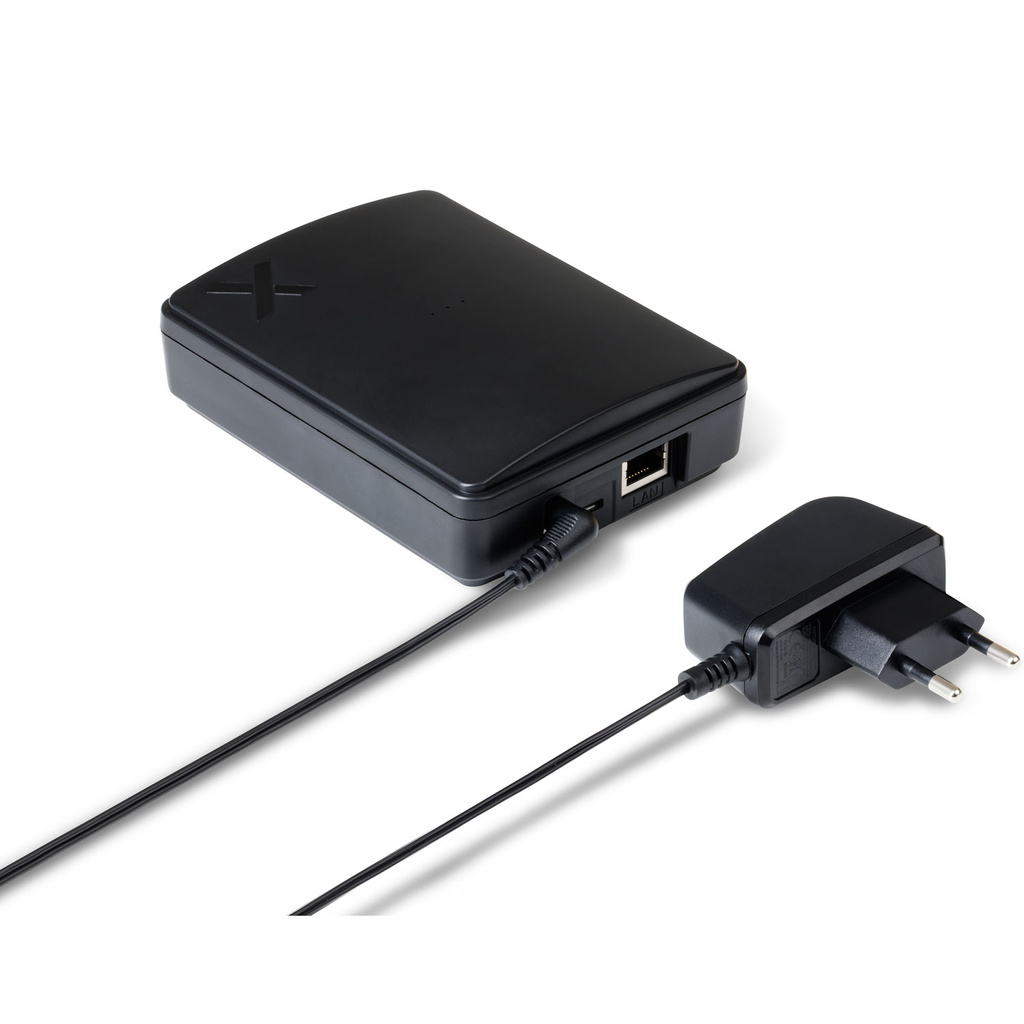
Power supply: 12V DC adapter (included)
Ethernet: 10/100 Mbps
Protocols: Nexa and Z-Wave with adapter
Dimensions, W x H x D: 95 x 125 x 33 mm
E-number: 1790023
EL-number: 4514589
Nexa Bridge 3
Make your home smarter and your life easier!
Control your home from wherever you are
Whether you’re at work, on holiday or just out for a walk, you can stay in touch with your home, either whenever you like or via notifications. With a simple tap, you can adjust the lighting, the temperature and even your appliances.
Have you forgotten to switch off the coffee maker? No problem – do it straight from your phone. If you want different smart devices in your home to work together, let Nexa Bridge 3 connect them. Clever, isn’t it!
Let your smart devices talk to each other
With the Nexa Bridge 3, you can connect your System Nexa devices to other smart devices in your home. Smart and convenient!
Supports:
System Nexa
Z-Wave adapter
Plus:
• Philips Hue
• Sonos
• IKEA Trådfri
• Google Assistant
• Twinkly
• Govee
• Ajax System
• Sensibo
Energy consumption
Which devices use the most energy, on which days of the week and at what times. Choose a receiver with energy monitoring or enter the device’s consumption to receive daily statistics.
Notifications
Receive a notification on your phone when, for example, the magnetic contact on the cellar door is broken or when movement is detected. You choose how, what is sent and when.
Activity log
With the activity log, you can go back several days to see what has happened in your home. You can see exactly when doors are opened, when movement is detected or when lights are switched on and off.
Reliability
If the internet happens to go down, everything continues to work locally; both schedules and automations run as usual.
Critical events
If you have a smoke alarm or water leak detector, the people you’ve chosen will automatically receive a text message when these alarms are triggered.
Voice control
With the help of Google Assistant, you can also control your home using your voice. “Hey Google, turn on the ceiling light in the hall”
- Scheduling:
“30 minutes before sunset, my lights turn on”
By using scheduling, you can make your home more efficient and comfortable. You can set lights to switch on at sunset and switch off at a specific time in the evening, or set the coffee maker to start in the morning so that your coffee is ready when you wake up. Smart!
- Scenario:
Bedtime: Lower the roller blinds, switch on the bedside lamp and switch off all other lights
With scenarios, you can have several things happen at the same time. So instead of rushing around switching lights on and off, you can create various favourite scenarios, such as switching off the whole house with just the press of a button. Smart and convenient!
- Automations:
"Switch on the light in the hall when the door opens after sunset"
Here you can really delve into your smart home. An automation is based on something that happens with or without conditions, such as: “If it’s below freezing outside at 07.30 on weekdays, send a notification and switch on the car’s engine heater”. Isn’t that clever!
More possibilities with a Z-Wave adapter
Add a Z-Wave adapter to integrate and control Z-Wave devices with the Nexa Bridge 3.
Stable operation
The signal sent is confirmed by the receiver, so you can be sure the signal has been received
Extend the range
Z-Wave creates a mesh network where the signal is passed from device to device until it reaches its destination
Global standard
Z-Wave is a standard protocol, so you can mix and match products from different manufacturers
Some of the compatible products and systems:
Nexa Bridge & Philips Hue
Philips Hue is popular thanks to its wide range of light bulbs. If you have a Hue Bridge, you can connect it directly to your Nexa Bridge to control and automate your lights in a whole new way.
• Support for all light bulbs
• Switch on, switch off, dim and change colour just as usual
• Connect to a magnetic switch or motion sensor
• Schedule and automate
Nexa Bridge & Sonos
If you have Sonos speakers at home, you can connect them directly to the Nexa Bridge and start automating them in the same way as your lights or receivers. Perhaps music will start playing when you open the door?
• Support for all Sonos speakers
• Play, pause, mute, unmute and adjust the volume
• Automate, e.g. start playing music when the door opens
• Communicates directly with the speaker over the network
Nexa Bridge & IKEA Trådfri
The Nexa Bridge can control smart devices from IKEA, such as roller blinds and lights. This is done via your IKEA TRÅDFRI Gateway.
• Roller blinds & lights
• Raise the roller blinds when you get up in the morning
• Set your lights to a specific colour for a special occasion
Nexa Bridge & Ajax System
You can integrate your AJAX alarm directly into the Bridge to receive information about when your alarm is activated and deactivated, i.e. when you arm and disarm it. You can then create automations and set conditions based on this.
• Switch lights on when you disarm the alarm and off when you arm it
• Lower awnings, blinds, etc. when you arm the alarm to provide privacy
• Simulate that someone is at home when the alarm is armed
• Set a condition to only switch on the lights at home at sunset if the alarm is not armed
Nexa Bridge & Google Assistant
With Google Assistant, you can control your home using your voice – perhaps whilst sitting on the sofa or in the shower. You can also ask about temperatures, run your own routines and much more.
• Switch receivers on/off, adjust dimmers, ask about temperatures and run routines
• Also works with Google Assistant on your phone
• Local control over the network means everything switches on instantly with no delay
Specifications:
Power supply: 12V DC adapter (included)
Ethernet: 10/100 Mbps
Protocols: Nexa and Z-Wave with adapter
Dimensions, W x H x D: 95 x 125 x 33 mm
E-number: 1790023
EL-number: 4514589
Nexa Bridge 3
Make your home smarter and your life easier!
Control your home from wherever you are
Whether you’re at work, on holiday or just out for a walk, you can stay in touch with your home, either whenever you like or via notifications. With a simple tap, you can adjust the lighting, the temperature and even your appliances.
Have you forgotten to switch off the coffee maker? No problem – do it straight from your phone. If you want different smart devices in your home to work together, let Nexa Bridge 3 connect them. Clever, isn’t it!
Let your smart devices talk to each other
With the Nexa Bridge 3, you can connect your System Nexa devices to other smart devices in your home. Smart and convenient!
Supports:
System Nexa
Z-Wave adapter
Plus:
• Philips Hue
• Sonos
• IKEA Trådfri
• Google Assistant
• Twinkly
• Govee
• Ajax System
• Sensibo
Energy consumption
Which devices use the most energy, on which days of the week and at what times. Choose a receiver with energy monitoring or enter the device’s consumption to receive daily statistics.
Notifications
Receive a notification on your phone when, for example, the magnetic contact on the cellar door is broken or when movement is detected. You choose how, what is sent and when.
Activity log
With the activity log, you can go back several days to see what has happened in your home. You can see exactly when doors are opened, when movement is detected or when lights are switched on and off.
Reliability
If the internet happens to go down, everything continues to work locally; both schedules and automations run as usual.
Critical events
If you have a smoke alarm or water leak detector, the people you’ve chosen will automatically receive a text message when these alarms are triggered.
Voice control
With the help of Google Assistant, you can also control your home using your voice. “Hey Google, turn on the ceiling light in the hall”
- Scheduling:
“30 minutes before sunset, my lights turn on”
By using scheduling, you can make your home more efficient and comfortable. You can set lights to switch on at sunset and switch off at a specific time in the evening, or set the coffee maker to start in the morning so that your coffee is ready when you wake up. Smart!
- Scenario:
Bedtime: Lower the roller blinds, switch on the bedside lamp and switch off all other lights
With scenarios, you can have several things happen at the same time. So instead of rushing around switching lights on and off, you can create various favourite scenarios, such as switching off the whole house with just the press of a button. Smart and convenient!
- Automations:
"Switch on the light in the hall when the door opens after sunset"
Here you can really delve into your smart home. An automation is based on something that happens with or without conditions, such as: “If it’s below freezing outside at 07.30 on weekdays, send a notification and switch on the car’s engine heater”. Isn’t that clever!
More possibilities with a Z-Wave adapter
Add a Z-Wave adapter to integrate and control Z-Wave devices with the Nexa Bridge 3.
Stable operation
The signal sent is confirmed by the receiver, so you can be sure the signal has been received
Extend the range
Z-Wave creates a mesh network where the signal is passed from device to device until it reaches its destination
Global standard
Z-Wave is a standard protocol, so you can mix and match products from different manufacturers
Some of the compatible products and systems:
Nexa Bridge & Philips Hue
Philips Hue is popular thanks to its wide range of light bulbs. If you have a Hue Bridge, you can connect it directly to your Nexa Bridge to control and automate your lights in a whole new way.
• Support for all light bulbs
• Switch on, switch off, dim and change colour just as usual
• Connect to a magnetic switch or motion sensor
• Schedule and automate
Nexa Bridge & Sonos
If you have Sonos speakers at home, you can connect them directly to the Nexa Bridge and start automating them in the same way as your lights or receivers. Perhaps music will start playing when you open the door?
• Support for all Sonos speakers
• Play, pause, mute, unmute and adjust the volume
• Automate, e.g. start playing music when the door opens
• Communicates directly with the speaker over the network
Nexa Bridge & IKEA Trådfri
The Nexa Bridge can control smart devices from IKEA, such as roller blinds and lights. This is done via your IKEA TRÅDFRI Gateway.
• Roller blinds & lights
• Raise the roller blinds when you get up in the morning
• Set your lights to a specific colour for a special occasion
Nexa Bridge & Ajax System
You can integrate your AJAX alarm directly into the Bridge to receive information about when your alarm is activated and deactivated, i.e. when you arm and disarm it. You can then create automations and set conditions based on this.
• Switch lights on when you disarm the alarm and off when you arm it
• Lower awnings, blinds, etc. when you arm the alarm to provide privacy
• Simulate that someone is at home when the alarm is armed
• Set a condition to only switch on the lights at home at sunset if the alarm is not armed
Nexa Bridge & Google Assistant
With Google Assistant, you can control your home using your voice – perhaps whilst sitting on the sofa or in the shower. You can also ask about temperatures, run your own routines and much more.
• Switch receivers on/off, adjust dimmers, ask about temperatures and run routines
• Also works with Google Assistant on your phone
• Local control over the network means everything switches on instantly with no delay
Specifications:
Power supply: 12V DC adapter (included)
Ethernet: 10/100 Mbps
Protocols: Nexa and Z-Wave with adapter
Dimensions, W x H x D: 95 x 125 x 33 mm
E-number: 1790023
EL-number: 4514589